WebMCP: Exposing Native APIs and Tools Directly to AI Search Agents
Last updated: June 10, 2026
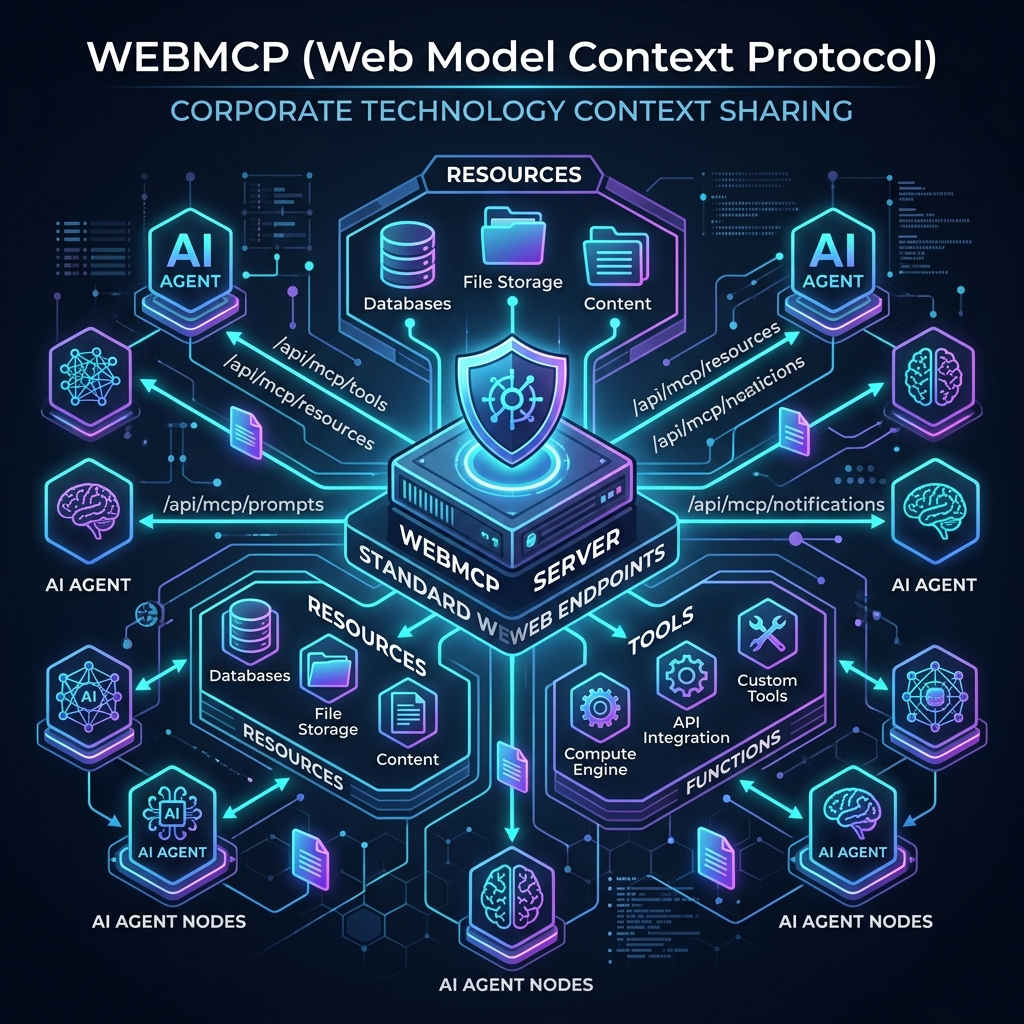
The rise of LLM-driven search assistants has exposed a fundamental limitation of the modern web: the lack of a standardized interface for machine-to-website transactions. Traditional websites are optimized for human eyes, structured around visual DOM elements, style sheets, and client-side JavaScript. When an AI search agent (like a Claude-powered researcher or GPT crawler) attempts to extract information or execute an action on behalf of a user, it must scrape the HTML structure, guess form fields, and approximate button clicks. This is inefficient, error-prone, and slow.
To bridge this gap, the open-source community and enterprise engineering teams are adopting WebMCP (Web Model Context Protocol). Inspired by Anthropic's Model Context Protocol (MCP), WebMCP is a web-native adaptation that allows websites to expose databases, local resources, and transactional tools directly to AI clients via standard HTTP/JSON endpoints. By adopting WebMCP, a website transforms from a passive document store into an interactive, machine-executable tool directory. This article provides a comprehensive guide to WebMCP, detailing its architecture, tool schema patterns, and transaction loops.
The Architecture of WebMCP
WebMCP operates on a simple, decentralized client-server architecture. Instead of requiring complex API integrations, a website hosts a standardized WebMCP route (typically at /.well-known/mcp.json or /wp-json/webmcp/v1/tools) that returns a JSON list of available tools, their input schemas, and resource descriptions.
When an AI agent accesses the website, it checks this directory. If the agent needs to fetch real-time data or perform a transaction, it makes a POST request to the WebMCP endpoint, passing the selected tool name and arguments. The server processes the request and returns a structured JSON payload that the agent can immediately parse and integrate into its context window.
The WebMCP Agent-to-Server Loop
+------------------+                    +------------------------+
|                  |   1. Discover      |   /.well-known/mcp     |
|   AI SEARCH      |------------------->|   Returns Tool List    |
|   AGENT          |                    +------------------------+
|                  |                               |
|                  |   2. Execute Tool             | 3. Process Query
|                  |-------------------+           |    (SQL / API)
|                  |                   |           v
|                  |                   |   +------------------------+
|                  |<------------------+---|   WebMCP Controller    |
|                  |   4. Returns JSON     |   (Returns Result)     |
+------------------+                       +------------------------+
Standardizing Tool Schemas for AI Execution
The core of WebMCP is the tool schema definition. Tools are defined using JSON Schema (Draft-07), which provides the AI model with strict instructions on what arguments are required and what data types are accepted. The more descriptive the tool definition, the less likely the model will hallucinate parameters.
Below is a production-grade WebMCP tool definition for an inventory lookup service, demonstrating how to register tools that AI agents can use to check real-time stock levels and shipping costs:
{
  "name": "check_product_inventory",
  "description": "Checks real-time stock availability, warehouse location, and estimated shipping latency for a given product identifier (SKU or GTIN).",
  "parameters": {
    "type": "object",
    "properties": {
      "product_id": {
        "type": "string",
        "description": "The SKU or Global Trade Item Number (GTIN) of the product."
      },
      "destination_zip": {
        "type": "string",
        "description": "The 5-digit US postal code of the shipping destination to calculate shipping latency."
      }
    },
    "required": ["product_id"]
  }
}
When the agent calls this tool, the backend controller handles database interaction. If the item is in stock, the server returns the quantity and shipping parameters. By utilizing this structured RAG grounding schema framework, the agent can ground its purchase recommendations in verified, real-time data. To learn more about grounding models in verifiable backend data, read our companion piece on RAG Grounding Principles: Eliminating Hallucinations in LLM Brand Representation.
B2A Interactions: Implementing WebMCP on WordPress
Integrating WebMCP on a WordPress and WooCommerce site requires registering custom WP REST API routes that map incoming requests to the appropriate functions. We can define our controller routes directly inside our active theme's functions.php file.
First, we register the WebMCP discovery route to list all active tools. Next, we register the execution endpoint, verifying permissions and sanitizing inputs. The execution handler calls native WooCommerce functions (like wc_get_product) to fetch real-time pricing and stock data, returning it as a clean JSON response. This architecture represents a complete B2A (Business-to-Agent) interface, allowing AI shopping assistants to retrieve data directly from your server without page-scraping overhead. For steps on auditing agent-crawling paths, see Auditing Your AI Footprint: Diagnosing Gaps in Non-Human Search Queries.